
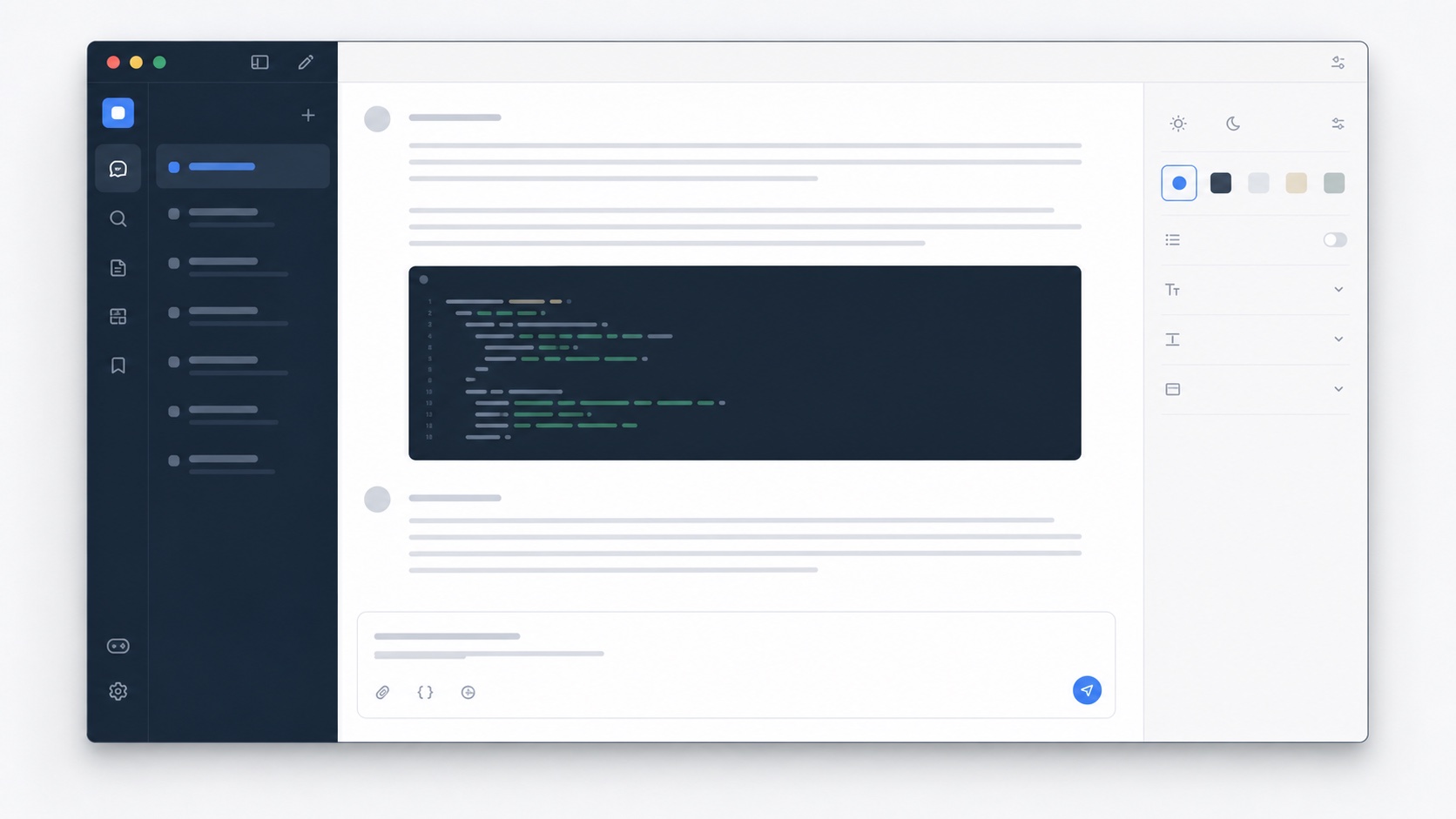
Code blocks need their own contrast system
A code block shares the page with prose, lists, inline code, tool output, and buttons. If every region uses the same surface, boundaries become hard to scan. If the code surface is too dramatic, it dominates even when the explanation is more important. A balanced theme gives code a distinct background, preserves readable line numbers and punctuation, and uses a border or subtle shadow only where it helps separate the block from surrounding text.
SiteSkin’s semantic code component allows a theme to style those blocks independently from the conversation card. Code Desk pairs an ink surface with restrained syntax colors and clear text. A light variation can use a cool gray surface with dark text for daylight work. The manifest cannot define arbitrary token-level syntax rules today, but it can coordinate the container, typography stack, radius, text, and surrounding layout.
Use width to reduce unnecessary horizontal scrolling
Generated examples often include long function signatures, configuration objects, command output, and tables. A narrow conversation column forces the reader to scroll sideways or wrap lines in ways that hide structure. Pairing a code theme with the wide-content switch gives technical material more room. Prose can remain inside a readable measure while the code container uses the broader region provided by the adapter.
Wider code is not an excuse to remove all constraints. Very long lines can still be a problem, especially when the source itself is poorly formatted. SiteSkin changes presentation rather than rewriting content. It does not run formatters, execute snippets, or verify correctness. Users should still review and test code in an appropriate development environment. The theme’s job is to make that review easier, not to certify the answer.
Keep navigation quiet during debugging sessions
Technical conversations frequently involve repeated movement between an error, explanation, revised code, and follow-up result. Extra interface motion and a visually strong sidebar can make that comparison harder. A code-focused theme can reduce navigation contrast, tighten vertical spacing, and keep the composer clearly separated from the current answer. Focus mode can lower peripheral interface emphasis while keeping it available when the pointer returns.
Because these choices are packaged as one skin, they can be switched off together. Users do not have to remember a separate width script, color override, sidebar rule, and code stylesheet. The extension stores one active manifest for the site and can remove its runtime style directly. This makes a technical skin suitable for temporary debugging sessions as well as a long-term default.
Evaluate a ChatGPT code theme before using generated examples
Use a conversation that mixes prose with inline code, several programming languages, JSON or YAML configuration, shell commands, logs, stack traces, tables, patches, and long lines. Confirm that code boundaries, indentation, punctuation, selections, copy controls, language labels, horizontal overflow, and surrounding explanations remain clear in both light and dark directions. Syntax colors should support scanning without implying that a token is correct, safe, or executable. Test code near warnings, citations, tool output, and user messages so the visual treatment never makes generated material look like trusted editor output. A theme improves reading conditions; it does not establish provenance or replace technical review.
Then resize the window, change browser zoom, toggle wide content, collapse navigation, and watch a new code block stream into the conversation. The page should not jump unpredictably, wrap structural lines unnecessarily, clip copy actions, or lose keyboard focus. Compare the same example with the original interface and with Code Desk, adjusting one token or feature at a time. Before copying anything, read the explanation, inspect dependencies and destructive commands, and run the code only in an appropriate trusted environment with the needed safeguards. SiteSkin does not execute, format, lint, test, or approve the snippet. A dependable ChatGPT code theme makes careful review easier while keeping uncertainty, warnings, and service controls visible.
Include both successful output and error output in the comparison, since muted logs, highlighted warnings, and stack traces need different emphasis. Also verify that inline code remains distinct inside prose without looking like a clickable button or a confirmed command.
Frequently asked questions
Does the code theme execute or validate code?+
No. It changes presentation only. Always review and run code in an appropriate, trusted environment.
Can I use the code theme in light mode?+
Yes. A manifest can use light page surfaces and a separate darker code surface, or a fully light code palette, as long as values pass validation.